
Parallel Space
Screenshots
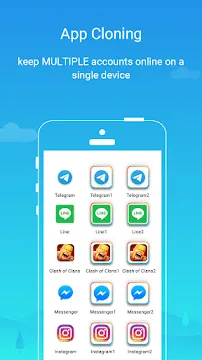
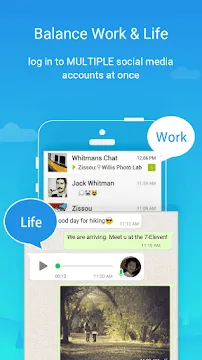
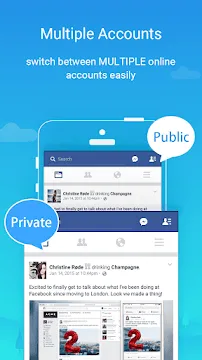
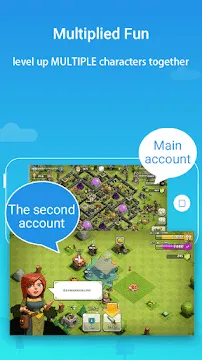
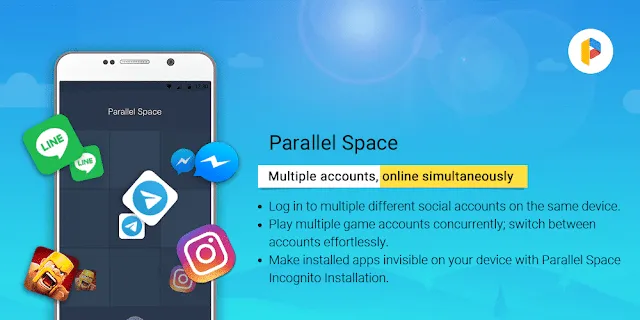
Parallel Space offers a practical solution for Android users who need to manage multiple social or gaming accounts on a single device. Most mobile applications limit users to one active session at a time. This constraint often forces people to carry two phones or constantly log in and out. This application creates a virtual environment that allows a second instance of an app to run independently. It helps you keep your professional and personal lives separate without the need for extra hardware. By using a unique cloning technology, it ensures that data from the secondary account does not interfere with the primary one.
Simplify Account Management with Cloning
The primary function of Parallel Space involves creating a clone of your existing applications. When you clone an app, the system treats it as a completely new installation. This means you can run two instances of WhatsApp, Facebook, or Instagram simultaneously. Each version operates in its own space, so notifications and data stay organized.
- Dual Login: Log into two different accounts at the same time.
- Instant Switching: Toggle between your private and work profiles with one tap.
- Data Isolation: The app stores files separately for each account to prevent mixing.
Using this feature saves a significant amount of time. Instead of switching accounts manually, you simply open the cloned version within the secure environment. This streamlined process makes multitasking much more efficient for busy individuals.
Enhance Your Gaming Experience
Gamers often use Parallel Space to level up multiple characters or manage several gaming profiles at once. Many mobile games require a lot of time to progress, and having two accounts can double your efficiency. You can trade items between accounts or help your main character complete difficult tasks.
- Double the Rewards: Collect daily bonuses on two accounts simultaneously.
- Strategic Advantages: Use a secondary account to scout or support your primary hero.
- Fast Progression: Run both games at the same time to speed up your growth.
The application supports a vast majority of games available on the Play Store. Because it operates smoothly, it does not cause significant lag during gameplay. This makes it an essential tool for dedicated players who want to maximize their in-game performance.
Protect Your Privacy with Incognito Installation
Privacy is a major concern for many smartphone users. Parallel Space includes an “Incognito Installation” feature that hides apps on your device. When you use this feature, you can install applications only within the secret space. The app icon will not appear on your main home screen or in the app drawer.
- Hidden Presence: Keep sensitive apps away from prying eyes.
- Security Locks: Apply a pattern or PIN lock to protect your cloned applications.
- Invisible Footprint: Prevent others from seeing which apps you use for private communication.
This layer of security provides peace of mind. If you share your phone with friends or family, they will only see the apps you choose to show. Consequently, your private data remains protected behind an additional wall of security.
Customize the Look with Themes
Users enjoy the ability to personalize their digital environment. Parallel Space features a theme store where you can find various designs to change the look of your cloned space. You can apply different styles to make the secondary interface feel distinct from your standard phone layout.
- Visual Distinction: Use bright colors or dark modes to identify your work space quickly.
- One-Tap Application: Change the entire look of the interface with a single click.
- Constant Updates: The developers frequently add new themes to keep the style fresh.
Personalization helps you stay organized. When the background of your “Work” space looks different from your “Personal” space, you are less likely to send a message from the wrong account. It creates a visual boundary that reinforces your organizational habits.
Optimize Performance and Stability
Running two versions of an app can sometimes drain a battery or consume too much memory. However, Parallel Space focuses on being lightweight and stable. It uses a small amount of storage space itself while managing the cloned apps efficiently. Transitioning between the main system and the virtual space is designed to be seamless.
- Low Resource Usage: The app minimizes its impact on your phone’s processor.
- High Compatibility: It works with almost all Android versions and device types.
- Regular Maintenance: Frequent updates fix bugs and improve the overall speed.
Reliability is the foundation of a good cloning tool. Because the system is optimized, you do not have to worry about the app crashing in the middle of an important task. It maintains a steady connection for both accounts, ensuring you receive every notification on time.
Manage Notifications Effectively
Keeping track of alerts from two different accounts can be confusing. Parallel Space offers a sophisticated notification management system. You can decide how and when you want to receive alerts from your cloned apps. This prevents your notification bar from becoming cluttered and overwhelming.
- Separate Alerts: Notifications from the cloned app are clearly marked.
- Mute Options: Silence work apps during the evening while keeping personal ones active.
- Priority Settings: Choose which accounts deserve your immediate attention.
Effective notification handling reduces stress. It allows you to focus on the task at hand without being interrupted by less important messages. By controlling the flow of information, you regain mastery over your digital life.
Final Thoughts
Parallel Space for Android is a helpful utility for anyone managing a complex digital life. It solves the problem of account limitations by providing a secure and separate environment. The interface is easy to understand, and the features provide real value for social media users and gamers alike. By keeping your data isolated and your apps hidden, it prioritizes both productivity and privacy. If you want to simplify your mobile experience and stop carrying two phones, this application offers the perfect remedy. It continues to be a top choice for millions of users worldwide who value efficiency and organization.